Best Public Transport Apps In Qatar Metro Station: Complete Guide to Facilities & Travel Tips
Qatar Transport Apps 2026: Which Apps Do Locals Actually Use? Standing at a Doha bus stop with no idea when your bus arrives? Download the wrong app and you...
By Rifat Hossain
Qatar Transport Apps 2026: Which Apps Do Locals Actually Use?
Standing at a Doha bus stop with no idea when your bus arrives? Download the wrong app and you'll still be guessing.
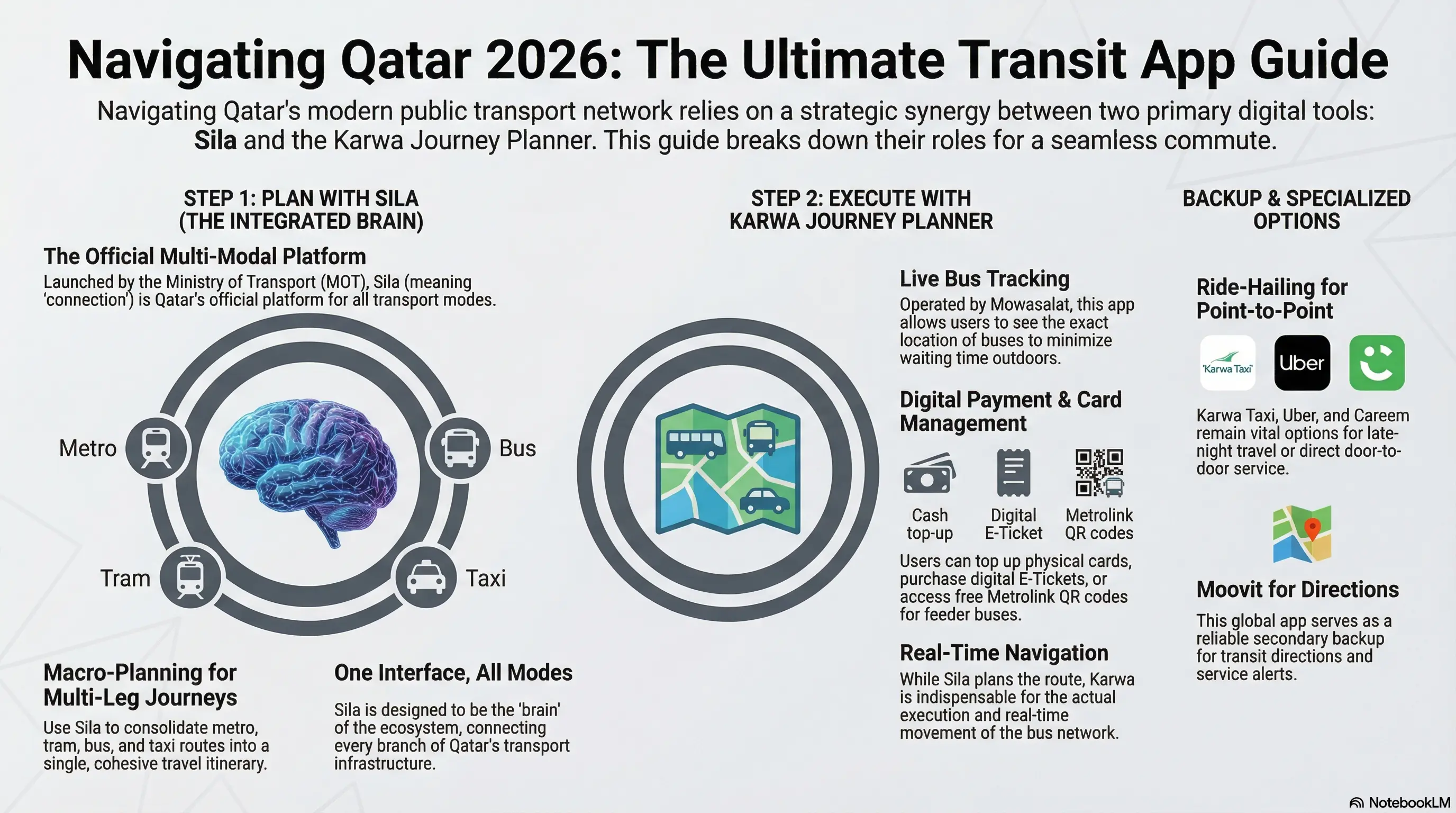
Qatar's digital transport landscape is confusing. There are apps for Metro, apps for buses, apps for taxis... but here's the secret locals know: You only need two apps.
This guide cuts through the noise and shows you exactly which apps to download, how to use them together, and what to ignore.
Share with FnF!
🎯 The Quick Answer: Download These 2 Apps
| If You Want... | Download This | Why |
|---|---|---|
| Plan journeys (Metro + Bus + Taxi) | Sila | Shows all options in one place |
| Track buses in real-time | Karwa Journey Planner | Live bus location on map |
| Buy bus tickets | Karwa Journey Planner | E-Tickets stored on your phone |
The Perfect Pair: Use Sila to plan → Use Karwa to execute
Everything else? Optional. Qatar Rail app, Moovit, taxi apps - nice to have, but not essential.
🧠 Sila: The "Macro Planner" for Complex Trips
Sila (Arabic for "connection") is Qatar's official integrated transport platform from the Ministry of Transport. Think of it as your journey architect - it designs multi-modal trips combining Metro, bus, tram, and taxi.
What Sila Does Best
| Feature | Why It Matters |
|---|---|
| Multi-Modal Planning | Combines Metro + Bus in one itinerary |
| Real-Time Updates | Shows delays and service disruptions |
| Cost Estimates | See total fare before you travel |
| Interactive Maps | Visual route with stations and stops |
| Bilingual | Full Arabic & English support |
When to Use Sila
- Complex journeys with transfers (Metro + Bus)
- Unfamiliar destinations (exploring new areas)
- Comparing options (fastest vs. cheapest vs. fewest transfers)
- Checking for disruptions before you leave
How to Use Sila: 5 Simple Steps
- Download from App Store or Google Play
- Enable location for accurate starting point
- Enter destination in the search bar
- Choose your route (fastest, cheapest, or fewest transfers)
- Follow the steps as you travel
Pro Tip: Create an account and save favorite locations (home, hotel, work) for one-tap planning.
What Sila Doesn't Do
- ❌ Purchase bus tickets
- ❌ Top up Karwa cards
- ❌ Show live bus tracking (real-time location)
- ❌ Generate QR codes for Metrolink
📍 Karwa Journey Planner: The "Bus Navigator"
Operated by Mowasalat (Karwa), this is your essential companion for every bus journey in Qatar.
What Karwa Journey Planner Does Best
| Feature | Why It Matters |
|---|---|
| Live Bus Tracking | See exactly where your bus is on the map |
| E-Tickets | Buy and store tickets on your phone |
| Card Top-Up | Recharge physical Karwa cards instantly |
| Metrolink QR | Generate codes for free feeder buses |
| Trip History | View past journeys and spending |
When to Use Karwa Journey Planner
- Every bus journey - essential for real-time tracking
- Buying tickets - skip the ticket machine line
- Topping up - recharge your card without finding a machine
- Checking arrivals - know exactly when your bus comes
How to Use Karwa Journey Planner
For Real-Time Tracking
- Open the app and allow location access
- Search your destination or tap "Nearby Stops"
- Choose your route from the options
- Tap "Track" to see live bus location
- Head to the stop when the bus is 3-5 minutes away
For E-Tickets
- Tap "Tickets" or "E-Tickets" in the menu
- Select ticket type (Rechargeable or 24-Hour Unlimited)
- Choose amount and pay via card/Apple Pay/Google Pay
- Your ticket appears as a QR code - scan at card readers
For Card Top-Up
- Tap "Card Management" or "My Cards"
- Enter your 10-digit Karwa card number
- Select top-up amount (QAR 10-500)
- Complete payment
- Balance updates instantly on your physical card
🤝 How to Use Both Apps Together (The Local Way)
Smart travelers don't choose between Sila and Karwa - they use them as a team.
The Workflow
PLAN with Sila → EXECUTE with Karwa
Real Example: Airport to The Pearl-Qatar
Step 1 - Plan with Sila:
- Open Sila and enter "Pearl-Qatar"
- App suggests: Red Line Metro to Legtaifiya, then Metrolink M110
- Shows: 45 minutes, QAR 3 total cost
Step 2 - Execute with Karwa:
- Arrive at Legtaifiya Metro Station
- Open Karwa Journey Planner
- Select Metrolink route M110
- Track bus approaching in real-time
- Generate QR code for free boarding
Result: Seamless journey, no surprises, QAR 3 instead of QAR 70 taxi fare.
📱 Complete App Comparison (2026)
| App | Primary Purpose | Offline Mode | Cost | Do You Need It? |
|---|---|---|---|---|
| Sila | Multi-modal planning | Limited | Free | Yes - for complex trips |
| Karwa Journey Planner | Bus tracking & tickets | Yes | Free | Yes - every bus ride |
| Qatar Rail | Metro info only | Yes | Free | Optional - Metro focused |
| Moovit | Transit directions | Yes | Free | Optional - backup |
| Karwa Taxi | Taxi booking | No | Pay per ride | Optional - late nights |
| Careem/Uber | Ride-hailing | No | Pay per ride | Optional - backup |
🔧 Other Apps (Optional but Useful)
Qatar Rail Mobile App
Best for: Metro-focused journeys
Features:
- Interactive Metro map
- Station facilities and exits
- Lusail Tram integration
- Travel time calculator
Verdict: Useful if you primarily use the Metro. Not essential if you have Sila.
Moovit
Best for: International visitors, backup planning
Features:
- Works in 100+ countries
- Community-powered updates
- Alternative route suggestions
Verdict: Good backup app, but Sila + Karwa cover most needs.
Taxi Apps (Karwa Taxi, Careem, Uber)
Best for: Late-night travel, direct trips with luggage
When to use:
- After 11 PM (bus/Metro ends)
- Airport runs with heavy luggage
- When running late for appointments
- Door-to-door convenience
Verdict: Keep installed, use sparingly (buses are much cheaper).
💡 Pro Tips for Using Qatar's Transport Apps
Before You Arrive
- Download both apps at home (don't rely on airport WiFi)
- Create accounts in advance - easier than at a bus stop
- Add payment methods to apps for seamless E-ticket purchases
- Screenshot key info - hotel address, popular destinations
During Your Trip
- Enable notifications - receive service alerts instantly
- Save favorite locations - hotel, Souq Waqif, major malls
- Check both apps - compare routes for the same journey
- Download offline maps - both apps offer this feature
Data & Battery
- Download offline maps when you have WiFi
- Enable WiFi-only mode to avoid roaming charges
- Carry a portable charger - GPS tracking drains battery
- Screenshot directions for areas with poor signal
🌡️ Seasonal App Tips
Summer (May - September)
- Bus tracking is critical - minimize time waiting in heat
- Pre-plan indoor stops - apps show which stations are air-conditioned
- Check for heat advisories - apps display service changes
Ramadan
- Expect reduced hours - apps show special schedules
- Iftar timing - services may pause around sunset
- Night service - extended hours during Ramadan nights
Winter (November - March)
- Peak tourist season - apps show crowded services
- Special events - National Day, sporting events
- Outdoor events - apps integrate with event locations
🎓 Frequently Asked Questions
Do I really need to download all these apps?
No! Sila + Karwa Journey Planner covers 95% of transport needs. Download others only for specific reasons (frequent Metro use, regular taxi rides).
Can I use these apps offline?
Both Sila and Karwa have offline modes, but features are limited. Download offline maps when you have WiFi, then use basic routing without data.
Which app shows accurate bus arrival times?
Karwa Journey Planner has the most accurate real-time bus data since it connects directly to Karwa's GPS system.
Can tourists use these apps?
Absolutely! All apps support English and are designed for visitors. Sila is particularly helpful for tourists unfamiliar with Doha.
Can I pay for bus tickets through Sila?
No, Sila is for planning only. Purchase tickets through Karwa Journey Planner or use a physical Karwa Smart Card.
Are these apps free?
Yes, all official transport apps (Sila, Karwa Journey Planner, Qatar Rail) are completely free. Ride-hailing apps charge only for rides.
What if the apps show different routes?
This happens due to different data sources. Trust Karwa Journey Planner for buses and Sila for multi-modal combinations. When in doubt, check both or ask station staff.
How often are these apps updated?
Official apps receive regular updates. Enable automatic updates on your phone for the latest features and bug fixes.
🚀 Your First 24 Hours: App Setup Checklist
Upon Arrival in Qatar
- Download Sila from App Store/Google Play
- Download Karwa Journey Planner from App Store/Google Play
- Create accounts in both apps
- Enable location services and notifications
- Add payment method to Karwa app
- Purchase Karwa card or E-ticket
- Save your hotel as a favorite location
- Plan your first journey from airport to hotel
During Your Stay
- Check apps daily for service updates
- Save key destinations (Souq Waqif, Villaggio, etc.)
- Download offline maps for backup
- Keep taxi apps installed for emergencies
📞 Need Help with Apps?
Sila App Support:
- Website: www.sila.qa
- Email: [email protected]
- Managed by: Ministry of Transport (MOT)
Karwa Journey Planner Support:
- Website: www.mowasalat.com
- Hotline: +974 4458 8888
- Email: [email protected]
Qatar Rail Support:
- Website: www.qr.com.qa
- Hotline: +974 4444 1111
- Email: [email protected]
Ready to Navigate Qatar Like a Local?
Download Sila for planning and Karwa Journey Planner for execution - that's all you need to explore Qatar's comprehensive transport network confidently.
Pro tip: Set up both apps before you arrive, and you'll navigate Doha like a resident from day one.
Complete bus guide • Metrolink free buses • Karwa card options
This guide is updated regularly with the latest app features. Last updated: February 2026
Tags
Related Articles
Doha Bus Network Updates Metro Station: Complete Guide to Facilities & Travel Tips
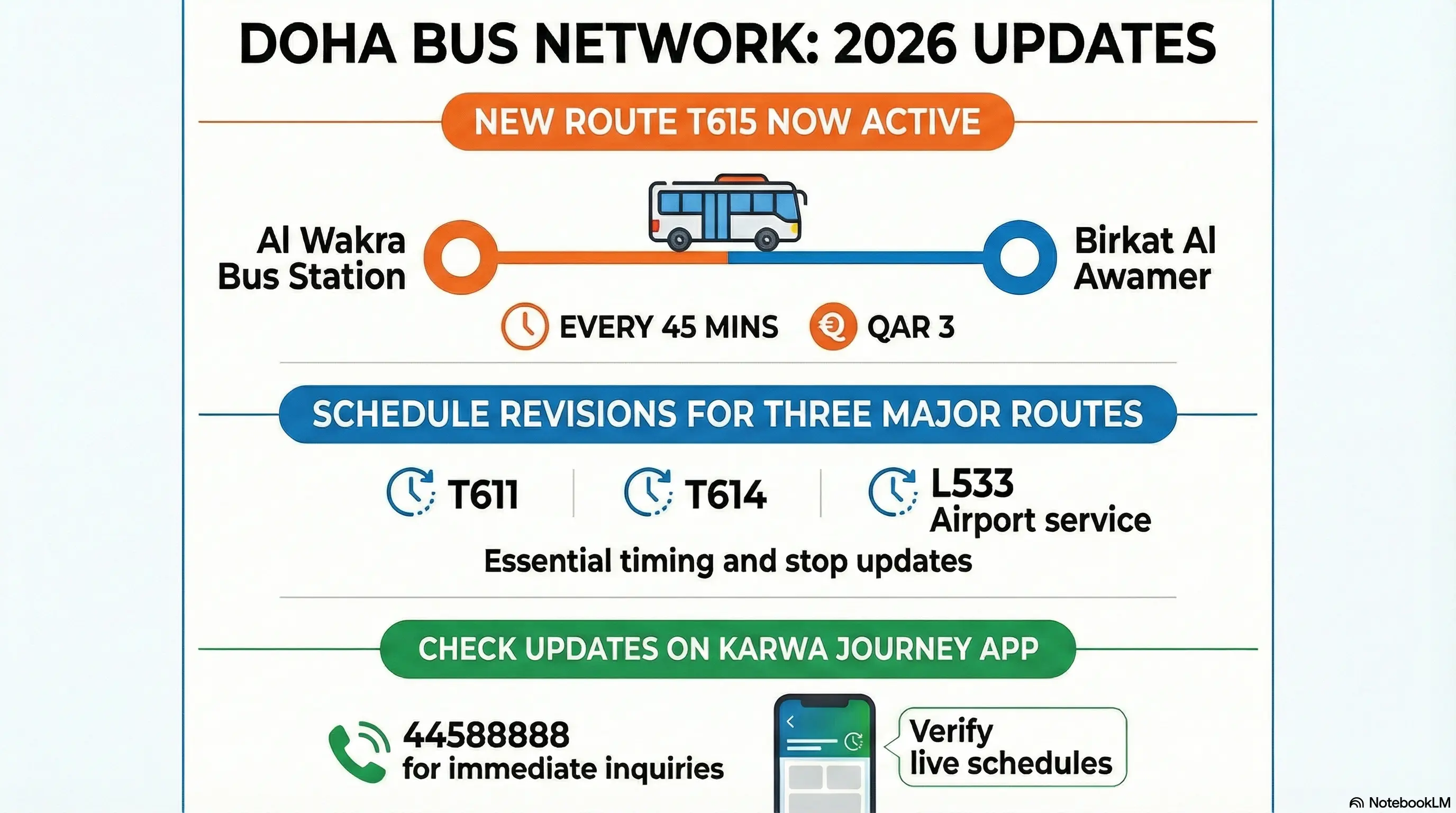
Doha Bus Updates 2026: What Actually Changed? Your regular bus route looks different? You're not imagining things.
Karwa And Ashghal New Bus Stops Metro Station: Complete Guide to Facilities & Travel Tips
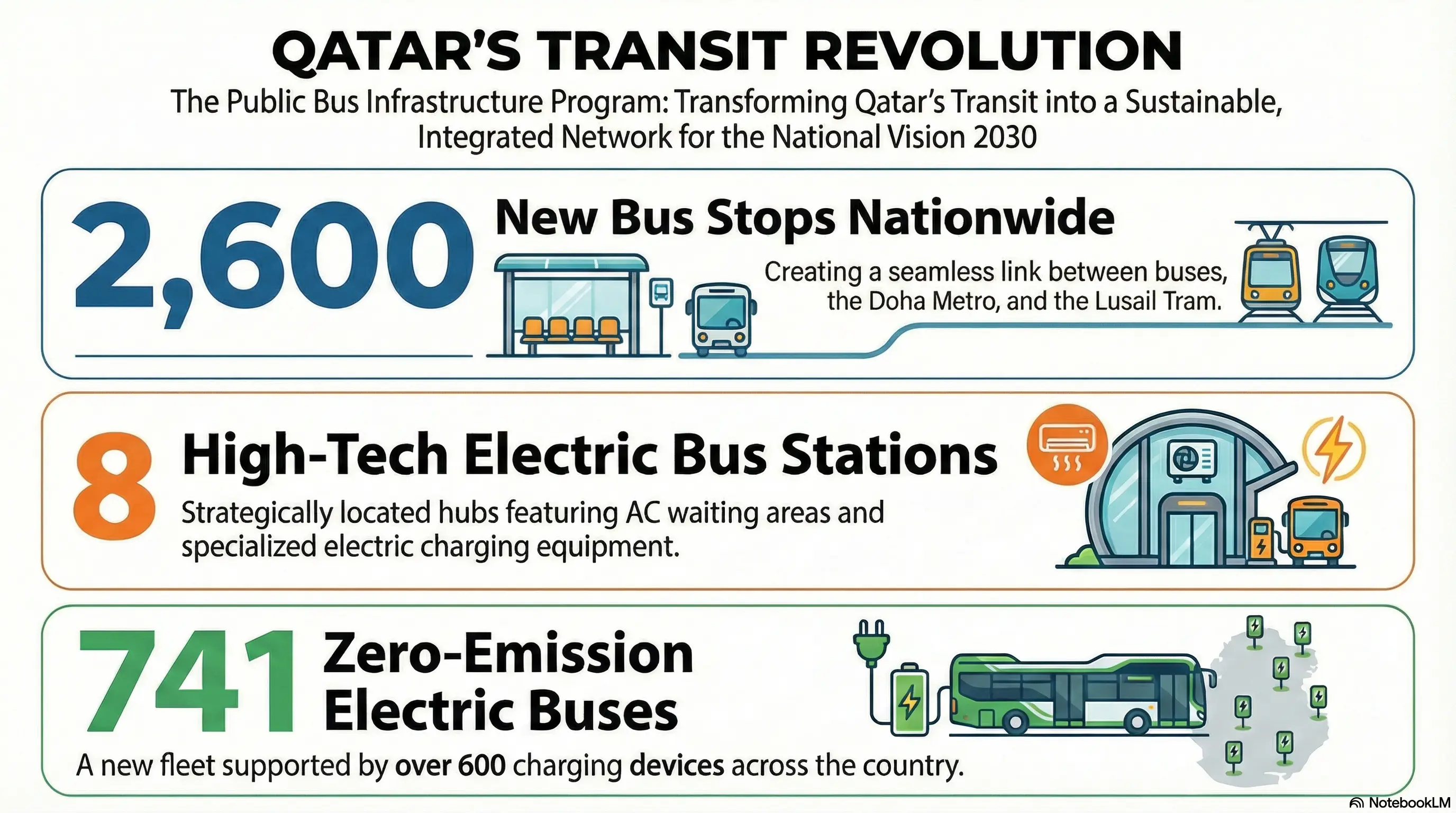
2,600 New Bus Stops in Qatar: What This Means for YOUR Commute Ever walked 15 minutes to a bus stop in Qatar's heat? Those days are ending.
New Bus Routes Mowasalat Metro Station: Complete Guide to Facilities & Travel Tips
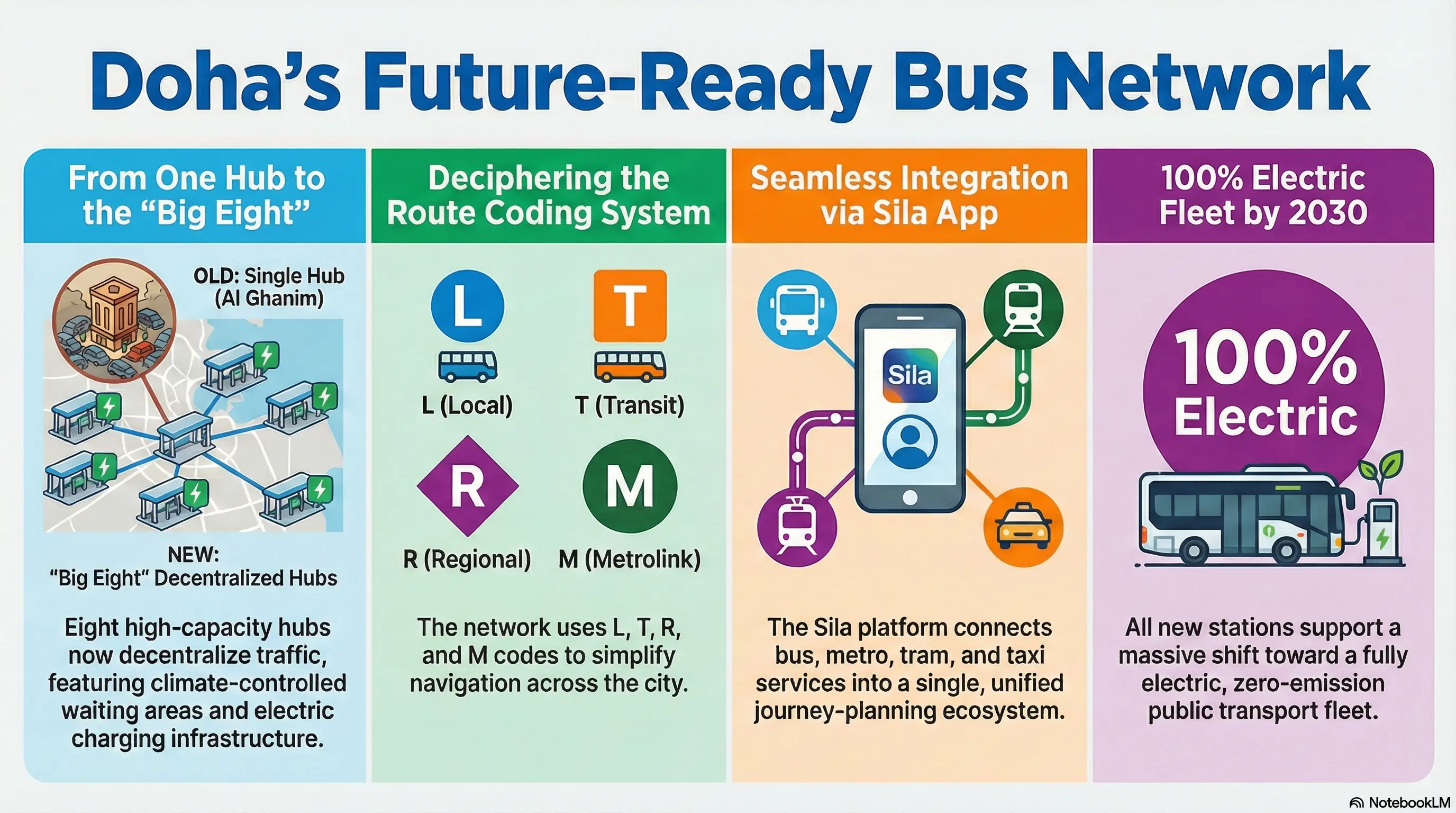
The 2022 Transformation: How Doha Built a World-Class Bus Network June 15, 2022.